
Teen Patti Master Login Problem – Complete Guide (2027) | लॉगिन समस्या का समाधान
Are you facing a Teen Patti Master login problem? Is your account not opening, OTP not arriving, or the app showing a login failed message? This complete Hindi and English troubleshooting guide explains common login errors, their possible causes, and practical solutions.
क्या आपका Teen Patti Master ऐप लॉगिन नहीं हो रहा है? क्या OTP नहीं आ रहा, पासवर्ड काम नहीं कर रहा या Login Failed का मैसेज दिखाई दे रहा है? इस गाइड में हम सामान्य लॉगिन समस्याओं और उनके समाधान आसान हिंदी और English में समझाएंगे।
Guide Year: 2027 | Language: Hindi + English | Website: Teenpattinew.in
Important: This is an independent troubleshooting guide. Exact login options and recovery steps depend on your installed app version. This article does not claim that any particular 2027 app update has been released.
1. What Is Teen Patti Master Login Problem? – लॉगिन समस्या क्या है?
A Teen Patti Master login problem occurs when a user cannot access an existing account through the app’s available sign-in method. The problem may appear before verification, after entering account credentials, or while connecting to the app’s server.
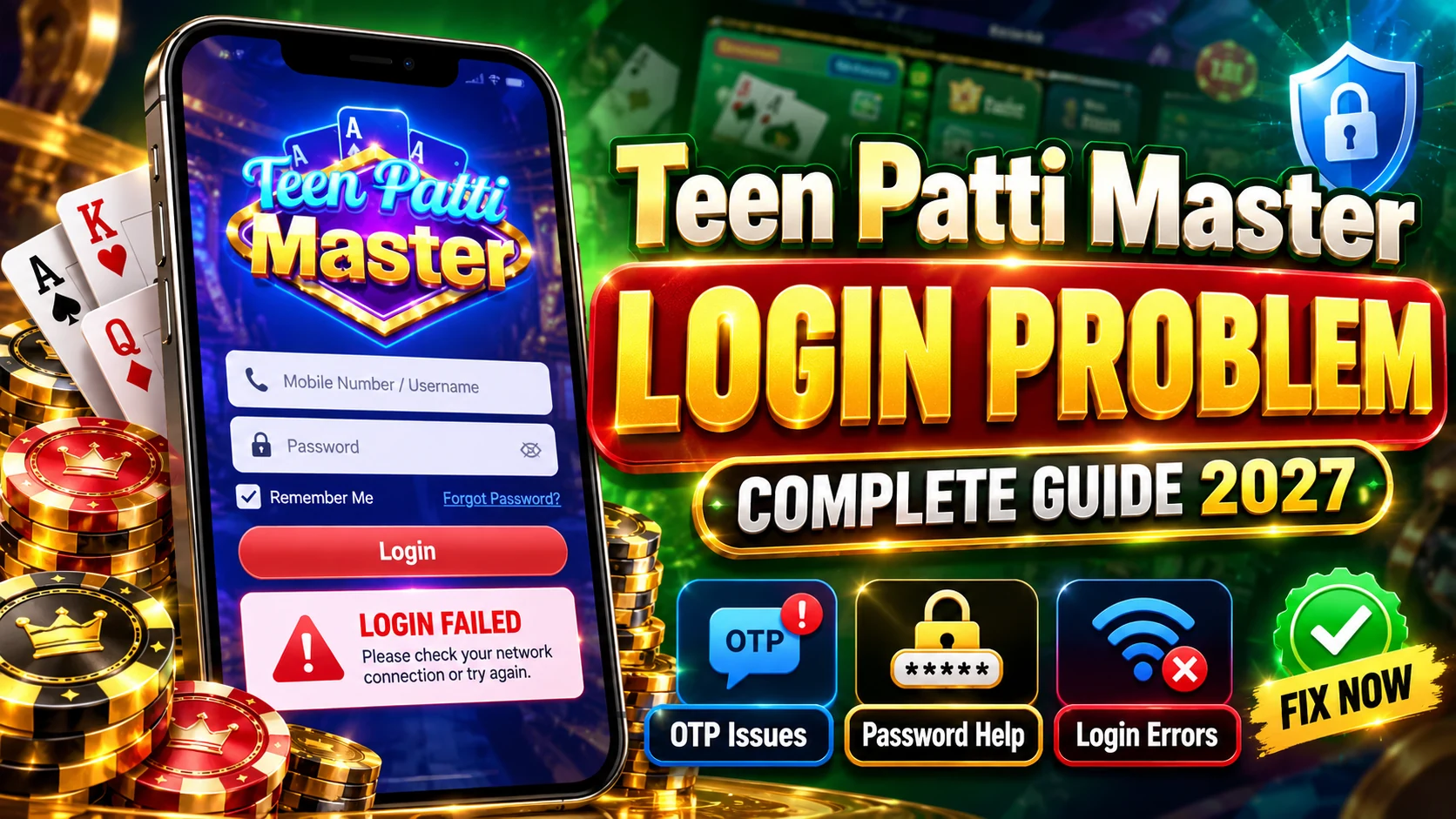
Teen Patti Master Login Problem का मतलब है कि यूज़र अपने मौजूदा अकाउंट में प्रवेश नहीं कर पा रहा है। यह समस्या इंटरनेट कनेक्शन, गलत अकाउंट जानकारी, OTP verification, ऐप के पुराने वर्जन या सर्वर से जुड़ी तकनीकी परेशानी के कारण हो सकती है।
Common Login Error Messages
- Login Failed – लॉगिन फेल हो गया
- Invalid Password – गलत पासवर्ड
- OTP Not Received – OTP प्राप्त नहीं हुआ
- Network Error – इंटरनेट कनेक्शन की समस्या
- Server Connection Failed – सर्वर से कनेक्ट नहीं हो पाया
- Account Suspended – अकाउंट सस्पेंड
- Verification Failed – वेरिफिकेशन असफल
- App Not Responding – ऐप काम नहीं कर रहा
These are examples of errors users may encounter in gaming apps. The exact wording can differ between versions.
2. Common Reasons for Teen Patti Master Login Problems
Before trying advanced solutions, identify the possible reason behind the problem.
Possible Causes – मुख्य कारण
- Incorrect Login Details: Wrong mobile number, password, or selected login method.
- Weak Internet Connection: An unstable Wi-Fi or mobile data connection.
- Outdated App: An older app version may have compatibility problems.
- OTP Delivery Delay: Temporary SMS network or verification issues.
- Server Maintenance: Temporary problems with the app’s online services.
- Corrupted Cache: Temporary app data may cause loading issues.
- Account Restrictions: The account may require verification or support review.
- Untrusted App File: An unofficial or modified installation may create security and compatibility risks.
हिंदी में: सबसे पहले इंटरनेट, मोबाइल नंबर, लॉगिन तरीका और ऐप वर्जन चेक करें। कई बार साधारण सेटिंग या नेटवर्क समस्या के कारण भी लॉगिन नहीं होता है।
3. Teen Patti Master Login Problem – Quick Fix Guide
If Teen Patti Master is not logging in, follow these general troubleshooting steps in order.
- Check whether your internet connection is working.
- Close the app completely and open it again.
- Restart your Android phone.
- Confirm you are using the correct registered account and login method.
- Set your device date and time to automatic.
- Check for app updates through the verified publisher’s source.
- Clear the app cache if needed.
- Temporarily test a different reliable internet connection.
- If the problem continues, contact the verified app support team.
हिंदी में आसान समाधान
- मोबाइल में इंटरनेट चालू है या नहीं, चेक करें।
- ऐप को पूरी तरह बंद करके दोबारा खोलें।
- मोबाइल को Restart करें।
- रजिस्टर्ड अकाउंट की जानकारी सही डालें।
- मोबाइल की Date और Time सेटिंग Automatic रखें।
- भरोसेमंद स्रोत से उपलब्ध अपडेट चेक करें।
- जरूरत हो तो ऐप का Cache Clear करें।
- दूसरे भरोसेमंद नेटवर्क पर जांच करें।
- समस्या बनी रहे तो वेरिफाइड सपोर्ट से संपर्क करें।
Note: Do not uninstall the app or clear app storage until you confirm that your account can be recovered. Locally saved data may be lost.
4. How to Fix Teen Patti Master Login Failed Error – लॉगिन फेल कैसे ठीक करें?
A Login Failed error usually means the sign-in process could not be completed. It does not always mean that the account has been blocked.
Step-by-Step Solution
Step 1: Verify Your Login Information
Check the phone number, password, and any verification information required by your installed version. Avoid unnecessary spaces and typing mistakes.
हिंदी: मोबाइल नंबर, पासवर्ड और लॉगिन की जानकारी सही है या नहीं, जांचें।
Step 2: Use Your Original Login Method
If the account was created using a particular supported sign-in method, try that same method. Availability of Google, phone, or other login methods depends on the app version.
हिंदी: जिस तरीके से पहले अकाउंट बनाया था, उसी उपलब्ध तरीके से लॉगिन करने की कोशिश करें।
Step 3: Check Internet Connectivity
Open a trusted website in your browser to confirm that your internet connection works. Switch between mobile data and Wi-Fi if necessary.
हिंदी: इंटरनेट काम नहीं कर रहा है तो Wi-Fi या मोबाइल डेटा बदलकर देखें।
Step 4: Restart the Application
Close the application and reopen it after a short interval.
हिंदी: ऐप को बंद करके दोबारा चालू करें।
Step 5: Check for Official Updates
Check whether the verified publisher has released a compatible update. Never install a random APK sent through unknown messages.
हिंदी: ऐप का अपडेट केवल भरोसेमंद और वेरिफाइड स्रोत से ही चेक करें।
If login still fails, record the exact error message and request help through the app’s verified support channel.
5. Teen Patti Master OTP Not Received – OTP नहीं आने का समाधान
Some versions or account recovery flows may use OTP verification. If your app offers this option but the code is not arriving, try the following steps.
OTP Troubleshooting Steps
- Confirm that your registered mobile number is correct.
- Check your country code if the form requires one.
- Make sure your SIM card has an active network connection.
- Check the SMS app, spam filtering, or blocked message folders.
- Wait for the permitted resend interval before requesting another OTP.
- Check whether the verification service is temporarily unavailable.
- If the registered number is no longer accessible, request verified account recovery assistance.
हिंदी में OTP समस्या का समाधान
यदि OTP नहीं आ रहा है तो सबसे पहले मोबाइल नंबर और SIM नेटवर्क चेक करें। SMS Spam Folder देखें और कुछ समय बाद ही नया OTP मंगाएं। बार-बार लगातार OTP Request करने से अस्थायी लिमिट लग सकती है।
Security Warning: Never share your OTP with anyone, including people claiming to be customer support agents.
6. Teen Patti Master Forgot Password – पासवर्ड भूल जाने पर क्या करें?
If your app supports password login and you have forgotten the password, use its verified account recovery process.
Password Recovery Steps
- Open the genuine Teen Patti Master app.
- Go to the login screen.
- Look for a Forgot Password or account recovery option, if available.
- Enter the registered information requested by the app.
- Complete the verification procedure.
- Create a unique, strong password if password reset is supported.
- Return to the login screen and sign in again.
हिंदी में पासवर्ड कैसे बदलें?
यदि ऐप में Forgot Password विकल्प उपलब्ध है, तो उस पर क्लिक करें। रजिस्टर्ड जानकारी डालें, वेरिफिकेशन पूरा करें और नया सुरक्षित पासवर्ड बनाएं। यदि यह विकल्प मौजूद नहीं है, तो वेरिफाइड सपोर्ट से सहायता लें।
Important: Never enter your existing password or recovery code on an unrelated third-party website. Do not pay an unknown person to recover your account.
7. Teen Patti Master Account Blocked or Suspended – अकाउंट ब्लॉक होने पर क्या करें?
If your account displays a blocked, disabled, or suspended status, the problem may require a review by the app operator. Clearing cache or reinstalling the app generally cannot remove a genuine account restriction.
Possible Reasons
- Unusual sign-in activity.
- Account verification requirements.
- Possible violations of the app’s terms.
- Security-related restrictions.
- Temporary technical or administrative errors.
What You Should Do
- Read the complete error message.
- Check whether the app provides an appeal or account review option.
- Prepare your account ID or registered contact details.
- Contact verified customer support.
- Follow the official identity verification or appeal process, if required.
हिंदी: यदि अकाउंट ब्लॉक या सस्पेंड हो गया है, तो बार-बार लॉगिन करने के बजाय कारण समझें और वेरिफाइड सपोर्ट टीम से सहायता लें। किसी भी अनजान व्यक्ति को पैसे देकर अकाउंट अनब्लॉक कराने की कोशिश न करें।
No independent website can guarantee the restoration of a restricted account.
8. Teen Patti Master Network Error and Server Problem
A network or server error can prevent the app from completing authentication even when your login details are correct.
Possible Solutions
- Test your internet connection using another trusted service.
- Turn Airplane Mode on and off to reconnect your mobile network.
- Switch between Wi-Fi and mobile data.
- Restart your phone or router if required.
- Enable automatic date and time settings.
- Check verified publisher announcements for maintenance information.
- If the service is unavailable, avoid repeated login attempts and try again later.
हिंदी में समाधान
अगर Network Error या Server Connection Failed दिखाई दे रहा है, तो इंटरनेट चेक करें। मोबाइल नेटवर्क बदलें और आधिकारिक सर्वर में समस्या होने पर उसके ठीक होने का इंतजार करें।
Note: This page does not provide live Teen Patti Master server status. A login failure alone does not confirm a server outage.
9. Teen Patti Master App Not Opening, Crashing or Stuck on Loading
Sometimes the app closes automatically, freezes on the logo screen, or becomes unresponsive. These problems may be related to the installation, device resources, Android compatibility, or temporary app files.
Try These Fixes
- Restart your Android device.
- Close other unnecessary apps.
- Check that sufficient device storage is available.
- Open Android Settings and locate the installed app.
- Clear cache if the option is available.
- Check for a verified compatible update.
- Contact the app publisher if the issue continues.
हिंदी में
यदि ऐप बार-बार बंद हो रहा है या Loading Screen पर अटक रहा है, तो फोन Restart करें, Storage चेक करें और Cache Clear करें। जरूरत पड़ने पर केवल भरोसेमंद स्रोत से अपडेट लें।
Warning: Clearing app data or reinstalling may delete locally stored settings or guest progress. Confirm account recovery options before proceeding.
10. Android Settings to Check for Login Problems
A. Clear App Cache
- Open Android Settings.
- Select Apps or App Management.
- Find the installed Teen Patti Master application.
- Open Storage or Storage & Cache.
- Tap Clear Cache, if available.
- Reopen the application.
हिंदी: Settings में Apps खोलें, Teen Patti Master चुनें और Storage में जाकर Clear Cache करें। Clear Data को बिना जरूरत इस्तेमाल न करें।
B. Automatic Date and Time
Open Settings, find Date & Time, and enable automatic time settings. Incorrect device time can interfere with secure connections and some verification processes.
C. Available Storage
Ensure your phone has enough free space for the application to work normally and store temporary files.
D. Android and App Compatibility
Confirm that the installed app version supports your Android device. Compatibility requirements should be checked against verified publisher information.
E. VPN and Network Configuration
If you normally use a VPN, proxy, or special DNS setting, check whether it is affecting connectivity. Use an ordinary authorized connection for testing. Do not use network tools to bypass geographic or account restrictions.
11. Teen Patti Master Login Errors and Solutions – समस्या और समाधान
| Problem | Possible Reason | Suggested Solution |
|---|---|---|
| Login Failed | Incorrect credentials or authentication error | Verify login details and try the original sign-in method. |
| OTP Not Received | SMS delay or verification problem | Check mobile number, SMS delivery and resend interval. |
| Invalid Password | Incorrect or outdated password | Use the verified recovery process if available. |
| Network Error | Weak or unstable internet | Check Wi-Fi, mobile data and connectivity. |
| Server Connection Failed | Service or network connection problem | Check verified service notices and try again later. |
| Account Blocked | Security or account restriction | Request a review from verified app support. |
| App Keeps Crashing | App compatibility or temporary files | Restart device, clear cache and check for updates. |
| Stuck on Loading | Network, storage or application issue | Check connection, free storage and reopen the app. |
| Verification Failed | Expired code or mismatched information | Use a valid code through the official verification flow. |
ध्यान दें: यह टेबल सामान्य समस्याओं के संभावित समाधान बताती है। सभी समस्याओं का कारण एक जैसा नहीं होता।
12. How to Contact Teen Patti Master Customer Support
If general troubleshooting does not solve the problem, contact the app’s verified support team through its genuine website or the support feature inside the authentic app.
Information to Prepare
- Your account ID, if available.
- Your device brand and Android version.
- The installed app version, if visible.
- The exact login error message.
- The approximate time the problem started.
- A screenshot with personal and payment details hidden.
Sample Support Message
Subject: Teen Patti Master Login Problem
Hello Support Team, I am unable to sign in to my account. The error message is: [enter error]. My Android device is [device model], and my app version is [version if known]. I have already checked my network and restarted the app. Please advise me on the correct account recovery process.
हिंदी में सपोर्ट मैसेज
नमस्ते सपोर्ट टीम, मेरे Teen Patti Master अकाउंट में लॉगिन नहीं हो रहा है। स्क्रीन पर [अपना एरर लिखें] दिखाई दे रहा है। मैंने इंटरनेट और ऐप Restart करके चेक कर लिया है। कृपया सुरक्षित अकाउंट रिकवरी या समस्या का समाधान बताएं।
For publisher information and support resources, verify the relevant app identity before using any contact page. One published Teen Patti Master resource is Teen Patti Master Contact Information. Confirm that the site corresponds to your installed app before sharing any account information.
Never share: OTP, login password, UPI PIN, banking password, card PIN, or remote access to your phone.
13. Teen Patti Master Account Security Tips – अकाउंट सुरक्षित कैसे रखें?
Protecting your gaming account is as important as fixing a login error.
- Use a unique and strong password where password login is supported.
- Never share OTP or account recovery codes.
- Avoid modified, cracked, or unverified APK files.
- Do not trust unknown customer support numbers posted in comments.
- Do not pay anyone who promises guaranteed account unblocking.
- Avoid suspicious links received through messaging apps.
- Keep your Android device and applications updated.
- Review unusual sign-in activity when the app offers that feature.
- Do not install remote-control apps at the request of an unknown support agent.
हिंदी में सुरक्षा सलाह
अपना OTP, पासवर्ड या UPI PIN किसी को न बताएं। किसी अनजान लिंक से ऐप डाउनलोड न करें। अगर कोई व्यक्ति अकाउंट ठीक करने के नाम पर पैसे, OTP या मोबाइल का Remote Access मांगता है, तो उससे सावधान रहें।
Responsible Gaming: Real-money gaming features, where offered, should be used only by eligible adults aged 18 or older and only where permitted by applicable law. Gaming does not guarantee income or winnings.
14. Frequently Asked Questions – अक्सर पूछे जाने वाले सवाल
Q1. Why is Teen Patti Master login not working?
English: Login may fail because of incorrect account information, network problems, an outdated application, authentication issues, or temporary service unavailability.
हिंदी: गलत जानकारी, इंटरनेट समस्या, पुराने ऐप वर्जन या सर्वर की परेशानी के कारण लॉगिन नहीं हो सकता है।
Q2. How can I fix the Teen Patti Master login failed error?
English: Verify your credentials, check connectivity, restart the app, and follow the verified account recovery procedure if necessary.
हिंदी: सही लॉगिन जानकारी डालें, इंटरनेट चेक करें, ऐप Restart करें और जरूरत पड़ने पर अकाउंट रिकवरी करें।
Q3. What should I do if Teen Patti Master OTP is not received?
English: Check your registered phone number, mobile network, SMS filtering, and the allowed OTP resend interval.
हिंदी: मोबाइल नंबर, नेटवर्क और SMS चेक करें। जरूरत हो तो निर्धारित समय के बाद OTP दोबारा मंगाएं।
Q4. How do I recover a forgotten Teen Patti Master password?
English: Use the Forgot Password option if your app supports it. Otherwise, contact verified app support for recovery instructions.
हिंदी: ऐप में Forgot Password विकल्प उपलब्ध हो तो उसका उपयोग करें। नहीं तो वेरिफाइड सपोर्ट से संपर्क करें।
Q5. Can clearing cache fix login problems?
English: Clearing cache may help resolve temporary app errors, but it will not fix an incorrect password or a genuine account suspension.
हिंदी: Cache Clear करने से अस्थायी तकनीकी समस्या ठीक हो सकती है, लेकिन गलत पासवर्ड या ब्लॉक अकाउंट ठीक नहीं होगा।
Q6. Why does Teen Patti Master show a network error?
English: Network errors may result from an unstable internet connection, device settings, or temporary service issues.
हिंदी: कमजोर इंटरनेट, नेटवर्क सेटिंग या अस्थायी सर्वर समस्या के कारण Network Error आ सकता है।
Q7. How can I unblock my Teen Patti Master account?
English: Contact verified app support and follow its account review or appeal process. Account restoration is not guaranteed.
हिंदी: अकाउंट ब्लॉक होने पर वेरिफाइड सपोर्ट से संपर्क करें और उनके दिए गए वेरिफिकेशन या अपील प्रोसेस को पूरा करें।
Q8. Does reinstalling Teen Patti Master fix login errors?
English: Reinstallation may help with damaged app files, but can cause local data loss and does not guarantee account recovery. Confirm that your account is recoverable first.
हिंदी: ऐप दोबारा इंस्टॉल करने से कुछ समस्या ठीक हो सकती है, लेकिन लोकल डेटा हट सकता है। पहले अकाउंट रिकवरी की जानकारी जांचें।
Q9. Is there a confirmed Teen Patti Master login update for 2027?
English: This guide does not verify any specific 2027 release. Check the publisher’s verified release information for the latest available version and login changes.
हिंदी: किसी 2027 अपडेट की पुष्टि इस गाइड में नहीं की गई है। नए अपडेट की सही जानकारी वेरिफाइड पब्लिशर से जांचें।
Q10. Can Teenpattinew.in reset my Teen Patti Master password?
English: No. Teenpattinew.in provides informational guides and does not operate the app’s authentication or account recovery system.
हिंदी: नहीं। Teenpattinew.in एक जानकारी देने वाली वेबसाइट है। यह किसी यूज़र का पासवर्ड रीसेट या अकाउंट अनब्लॉक नहीं कर सकती।
15. Final Login Troubleshooting Checklist – अंतिम चेकलिस्ट
- Internet connection checked – इंटरनेट चेक किया
- Correct account details verified – सही जानकारी जांची
- Original login method selected – सही लॉगिन तरीका चुना
- Android date and time checked – समय सेटिंग जांची
- App restarted – ऐप Restart किया
- Trusted app update checked – सुरक्षित अपडेट जांचा
- Cache checked – Cache चेक किया
- Verified support contacted if necessary – जरूरत पर सपोर्ट से संपर्क किया
Conclusion – निष्कर्ष
Teen Patti Master login problems can occur for several reasons, including incorrect credentials, unstable internet, verification issues, app compatibility, and temporary service problems. Start with simple troubleshooting and use verified support when account-specific assistance is required.
Teen Patti Master में Login Failed, OTP Problem, Network Error या Account Block जैसी समस्याओं के लिए सबसे पहले सही लॉगिन जानकारी, इंटरनेट और ऐप की स्थिति चेक करें। अगर समस्या बनी रहती है, तो सुरक्षित तरीके से वेरिफाइड सपोर्ट से मदद लें।
For more informational guides about Teen Patti Master.
Disclaimer: This website is an independent informational resource. It is not an official account support service and does not control app accounts, login credentials, OTP delivery, deposits, or withdrawals. App features and support procedures may change. Users should verify current instructions with the relevant publisher.
